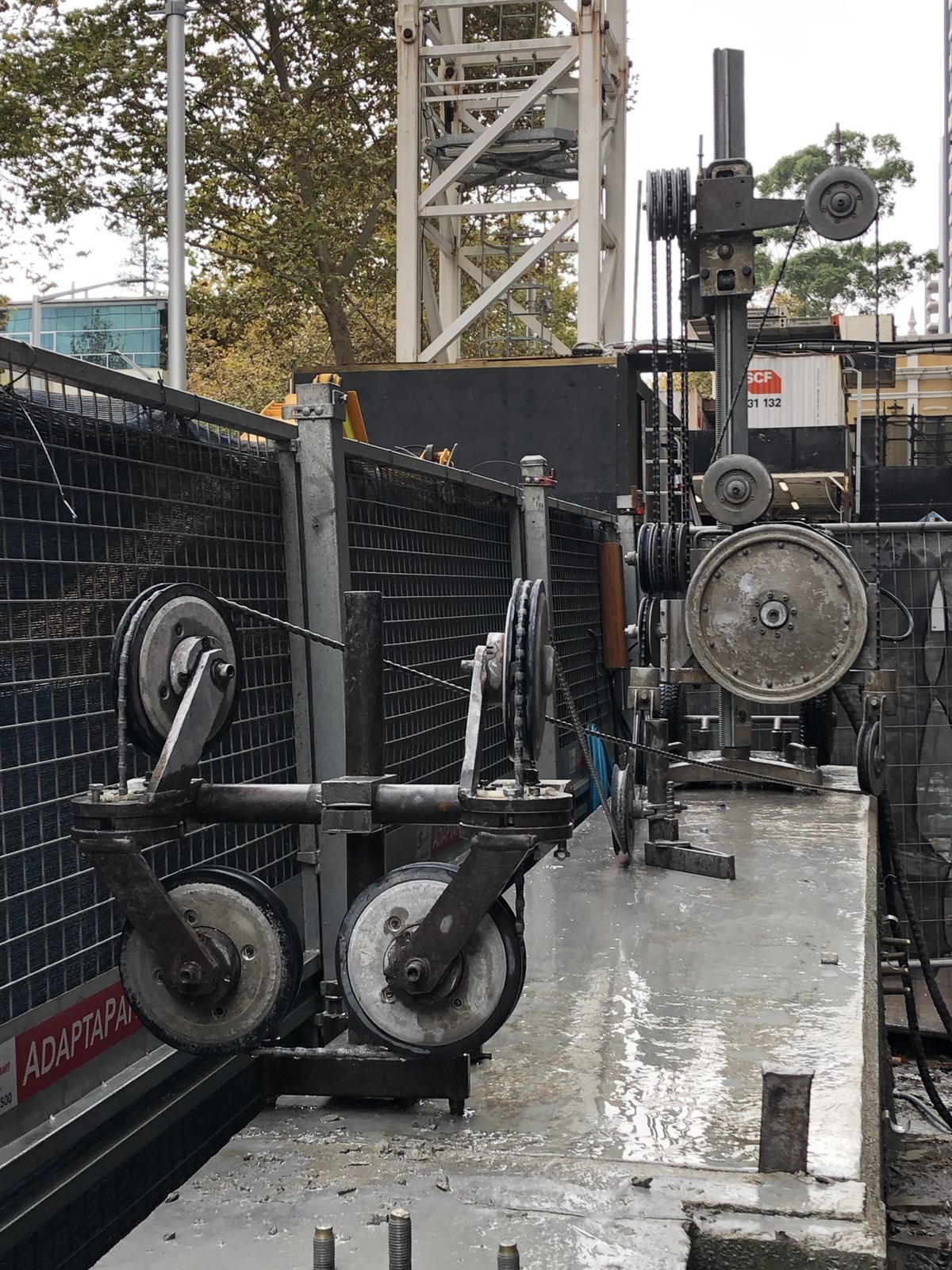
The whole cutting company,
in your pocket.

Plan the cut, price the job, docket it onsite, get it signed, invoice it — built on the job by a concrete cutter, not in an office by a software company.

The toolbox is $9.99 once, no subscription · The office side is optional · No ads, no account

iPhone · iPad · Android · Mac · or any browser at cutulator.app — installs to your home screen and works with no signal

📖 How to use Cutulator — the full instructions

18+trade tools in one app
0 barsneeded — works with no signal
Bothmetric & imperial, everywhere
0accounts, ads or servers
1 filedocket → office, signed

From measure-up to money

One job, start to finish, no re-typing

Most job apps do the paperwork and leave the trade to you. Cutulator starts where you do — at the concrete — and the paperwork falls out the back of the work you already did.

Book it when the phone rings

The job goes on the board with the day they want you there — or an honest "no date yet" that waits where you can see it. Deal it to whoever's free and it lands on his phone, sealed.

Plan the cut

Draw the slab, plan the penetration, check overcuts and blade depth, weigh the blocks before the crane turns up. The Job Builder puts the whole job on one PDF the crew works off.

Price it from your own book

Your rates, your bands, your minimums — a real quote PDF with your company on it, priced straight off the plan you just drew. Wall, floor, core, hand saw — every line from the one book.

Docket it onsite

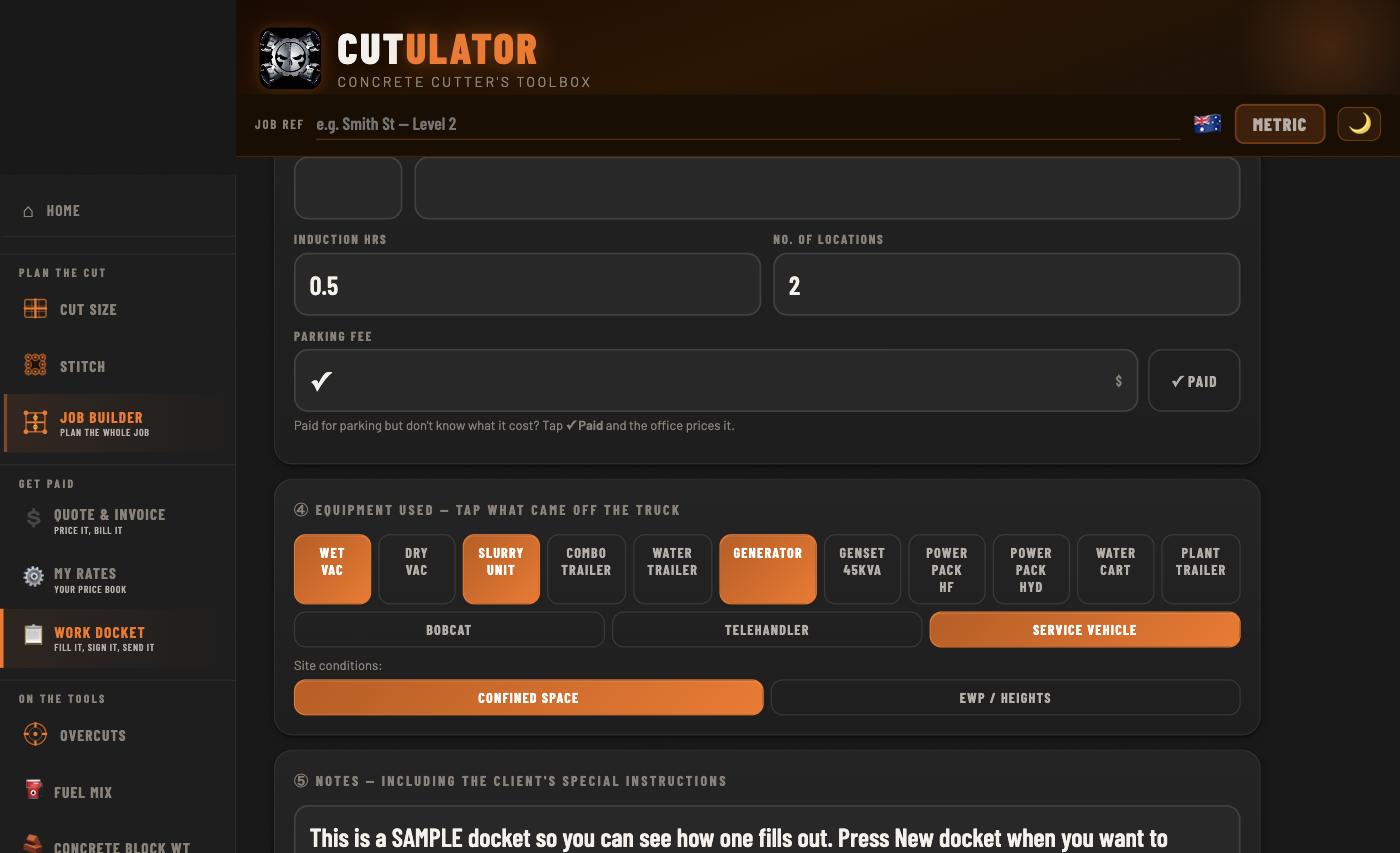
The operator fills the docket at the job — equipment, extras, hours, photos — and the client signs on your phone or theirs, from a link, no app needed. JSA and Pre-Start ticked and carried.

Invoice it from the docket

The signed docket lands in the office as one file. Priced off your book, line by line, GST done — out the door as a tax invoice before the ute's back on the freeway.

The engine of the company

The booking board — every job, wearing its day

The phone rings, the job goes on the board, and the board answers the office's three questions at a glance: who's free, what's on which day, and what still has no day at all.

  • Book it in the words the client said — the boxes remember your clients and sites, and the day is two taps: Today, Tomorrow, or the date box for further out.Start isn't always a clock: First job · Second job · Anytime — the answers clients actually give.
  • Jobs with no date yet sink to the bottom of the list wearing their age — sitting 9 days — so the job the client rings about is never the one nobody looked at.
  • Deal a job to whoever's free and the deal is the send — it lands sealed on his phone: client, site, times, notes, the plan. Never a rate on it.
  • His phone answers back: ✅ I'M DONE puts him up as free, and the docket for the job opens already filled in from the booking.
  • Laid out for the office desk — crew beside the queue on a big screen, ⧉ OWN SCREEN for the second monitor — and the same board stacks onto a phone.

📖 How the board works, step by step

Booking a job on the board and giving it its day

See it in action

Real tools, not another form-filler

What's inside

Built by a concrete cutter, for concrete cutters

Every tool in this app comes from real on-site problems that generic calculators can't solve. Switch between metric and imperial at any time — with full tape-measure fractions in imperial — and all calculators update instantly.

Fuel Mix

Exact 2-stroke mix ratio for any fuel quantity, all common ratios supported.

🧱

Block Weight

Calculate the weight of any concrete block before you cut it.

Cut Size

Work out cut dimensions from a target weight, with a visual cut planner.

🎯

Core Weight

Calculate the weight of a drilled core before extraction, including angled cores.

📐

Drill Angle

Barrel length and geometry for angled drilling, with clearance diagrams.

🔲

Stitch Drilling

Plan stitch drilling patterns for square, rectangular and circular openings.

📏

Overcuts

See how far your blade overcuts at each corner, switch to stitch mode, or sink the blade deeper with an oversized blade to shrink the overcut.

📷

Cut Photo

Mark up a site photo with cut lines and arrows to plan and communicate.

🧭

Level & Angle

Live sensor readout for checking blade angle on the job.

🏗️

Job Builder

Plan a whole penetration job — cuts, relief cores, block weights and the site plan — from one screen, with a PDF the crew can work off.

💲

Quote & Invoice

Price a job straight from the plan and turn out a real quote or tax invoice PDF. Runs on the included sample rate book — clearly badged until you make the rates your own.

🗓️

Scheduling

The booking board: book the job when the phone rings, give it its day, deal it to whoever's free — and jobs with no date yet wait at the bottom wearing their age.

📅

My Day

The cutter's end of the board: what the office dealt you — where, who, what to know — and one I'M DONE button that tells the office you're free.

📋

Work Docket

Fill it onsite, the client signs it — on your phone or on theirs, from a link, no app needed — and one file carries the signed PDF and the docket to the office.

🦺

JSA & Pre-Start

Your own safety checklists on every docket, typed once by the boss, ticked onsite, signed by whoever's signing.

🗄️

Past papers

Every quote and invoice files itself. Tap paid when the money lands, reprint any paper exactly as it went out, and export the lot for Xero, MYOB or QuickBooks.

📊

Rates in Excel

Your whole price book — rates, terms, JSA — round-trips through one spreadsheet. Run client books and crew files from the office computer.

🪚

Wall Saw Setup

Anchor and foot distances by saw brand and model — factory figures and field practice side by side.

📄

PDF Reports

Generate a professional job report ready to attach to a quote.

📤

Copy & Share

Copy any result or share it straight from the calculator to a text or email.

Why it stands alone

Your prices never leave your own machines

There is no account to make, no cloud to sign into, and no server anywhere with your rates on it. Your price book, your clients, your dockets, your invoices and your photos live on the gear you typed them into — the phone in your pocket on site, the computer on the office desk — and nowhere else. Same as the system you run now, except this one comes out on the job with you.

We could not look up your prices if we wanted to, because there is nothing to look them up in. Nobody can leak what nobody has — not us, not a hacker, not a competitor who knows someone who knows us.

📱

What stays put

Your rate book and your margins. Client names and sites. Your quotes, dockets and invoices. Your bank details. Your photos.

🖥️

The office runs it too

The quoting and invoicing side runs in any browser on the office computer — same app, bigger screen, your own machine. Nothing to install, nobody else's server in the middle.

🔒

The one thing that leaves

The docket you choose to send a client to sign. It travels encrypted, with the key held only on your phone and theirs — we cannot read it either — and it carries no prices at all. Your client sees the work, never your rates.

💾

Which cuts both ways

Nothing on a server means nothing to lose in a breach — and nothing to get back if the phone goes in the slab. The backup button in Setup gives you one file with the lot. Email it to yourself now and then.

Chapter and verse in the privacy policy — written in plain English, not lawyer.

For the boss and the office

Run the whole company off one price book

The office sets the book up once — company, logo, terms, bank details, every rate — and sends one file to every phone in the crew. From then on, everything that leaves the company matches, and everything the crew does comes home.

  • Build the price book in the app or in a spreadsheet — the whole book round-trips through Excel, rates and terms and JSA together.Client books too: special rates for a special customer, exported as their own locked file.
  • Send books locked — quoters quote from your prices, and can't change a cent of them or a word of your terms.
  • Crew files carry the company face, the terms and the safety words — no rates, no bank details — so a wages man's docket matches the company paper without him ever seeing a price.
  • Signed dockets travel home as one file and land ready to invoice — and the office sees who sent what.
  • Every payment lands in your account: your bank details, or your own payment link on the invoice. We're never in the middle of your money.
The work docket on the office computer — equipment used and the extras, written the way a cutter writes them

Thinking of going out on your own?

An ABN, a Stripe account, and this

The gear you can run. The paperwork is what sinks blokes in year one — quotes that look homemade, invoices that go out late, dockets on the dash of the ute. Cutulator hands you a whole company's paper from the first job.

🧾

Look established from day one

Your name, your logo, your terms on quote and tax invoice PDFs that look like a company twice your size sent them.

🏦

Your money, straight to you

Bank details or your own payment link printed on every invoice. Money goes from your client to your account — no middleman, no clip on the way through.

🦺

Safety paper sorted

JSA and Pre-Start on every docket from the first day — the thing builders ask for and one-man bands hate producing.

📈

Grows when you do

Put a second man on and send him the crew file. Win a big customer and give them their own book. The app you started with runs the company you end up with.

Works anywhere in the world: metric and imperial live side by side in every tool — tape fractions and all — and your rates are in whatever your money is. Canada, we especially see you.

The honest bit

What it costs

🧰

The app — $9.99 once

Every tool, the Job Builder, the work docket, the client signing, JSA and Pre-Start, the PDFs. The toolbox is $9.99 once, no subscription — yours for good, no ads, no account.

One licence per phone. Buying for your crew? Set the quantity at checkout and you get that many codes to hand out.

Buy the app — $9.99
💲

Cutulator Business — $79/month

Quotes and tax invoices with your prices, your company and your bank details on them, plus the office side of the docket — books for the whole crew, sent from one phone or the office computer.

Per business, every device you own — not per user. Your blokes never need it; their $9.99 app does dockets all day. $790 a year saves you two months.

First fortnight free, no card for the trial — grab the toolbox, open the quoting side, and tap Try it free.

Cancel anytime. You keep every tool you bought.

Founding companies: code FOUNDING49 at the checkout — $49 a month for your first year.

Subscribe — $79/month Or $790 a year

Big outfit? Business XL is $199 a month or $1,990 a year — founding code FOUNDING129 makes it $129 a month for the first year.

Bought through the App Store or Google Play instead? That covers the app on that phone — same thing, same price.

Questions first? The instructions page walks every tool, and support@cutulator.com reaches the bloke who cuts concrete and built this.